Feedback System
KubeStellar Klaude Console has a unique feedback system. When you report a bug or request a feature, AI helps create the fix automatically!
How It Works
This is a closed-loop system:
You report → Maintainer reviews → AI creates fix → You test → Release!The Process
- You submit - Describe the bug or feature
- Maintainer triages - Reviews and approves
- AI analyzes - Figures out what needs to change
- AI creates PR - Makes the code changes
- You get notified - When a fix is ready
- You test - Try the preview deployment
- You approve - Provide feedback
- Release - Goes into next version
Bug-to-Squash
When something doesn’t work right, report it!
How to Report a Bug
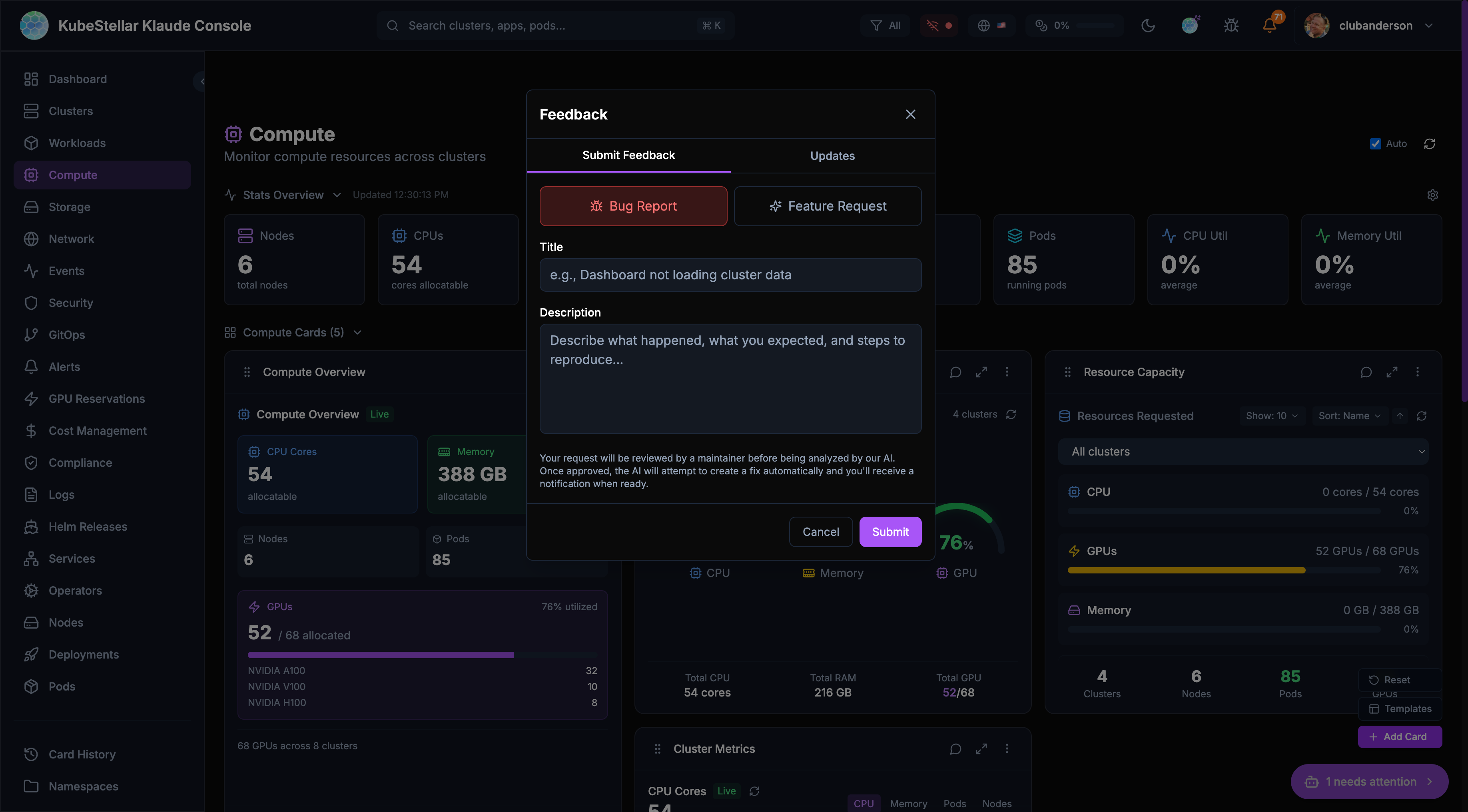
- Click “Report a bug or request a feature” (top bar)
- Select “Bug Report” tab
- Fill in:
- Title - Short description
- Description - What happened, what you expected, steps to reproduce
- Click Submit
What Happens Next
| Status | Meaning |
|---|---|
| Open | Submitted, waiting for review |
| Needs Triage | Maintainer is reviewing |
| Triage Accepted | Approved for AI fix |
| Feasibility Study | AI analyzing the problem |
| Fix Ready | AI created a fix, needs testing |
| Fix Complete | You approved, going to release |
| Unable to Fix | Couldn’t be fixed automatically |
| Closed | Issue resolved or won’t fix |
Getting Notified
You’ll receive notifications when:
- Your bug is accepted for triage
- A fix is ready for testing
- The fix is released
Check the bell icon in the header for notifications.
Feature-to-Fulfillment
Have an idea? Request it!
How to Request a Feature
- Click “Report a bug or request a feature” (top bar)
- Select “Feature Request” tab
- Fill in:
- Title - What feature you want
- Description - How it should work, why you need it
- Click Submit
Good Feature Requests
Do:
- Be specific about what you want
- Explain why it’s useful
- Give examples of how you’d use it
Don’t:
- Be vague (“make it better”)
- Request huge changes
- Duplicate existing features
Example
Good: “Add a dark mode toggle in settings so I can reduce eye strain at night”
Not as good: “The UI needs improvement”
Tracking Your Requests
View Your Submissions
- Click “Report a bug or request a feature”
- Select “Updates” tab
- See all your submissions and their status
Request Statuses
open → needs_triage → triage_accepted → feasibility_study → fix_ready → fix_complete
                                    ↘ unable_to_fix
Testing Fixes
When a fix is ready, you can test it!
Preview Deployments
For each fix, a preview deployment is created. You’ll get a link to test the fix in a temporary environment.
Providing Feedback
After testing:
- Positive - The fix works! Click 👍
- Negative - Something’s still wrong. Click 👎 and explain
Your feedback helps improve the fix before it ships.
Why This Is Special
AI-Maintained Repository
This is of the first codebases that is:
- Actively maintained by AI - Not just code suggestions, but actual fixes
- Closed-loop - Your feedback directly creates changes
- Fast - Fixes can be created in hours, not days
Human + AI
Humans still:
- Review and approve changes
- Make architecture decisions
- Handle complex changes
- Ensure quality
AI helps with:
- Analyzing problems
- Creating initial fixes
- Running tests
- Generating documentation
GitHub Integration
Behind the scenes, your requests become GitHub issues:
- You submit a request
- Console creates a GitHub issue
- GitHub Actions trigger AI analysis
- AI creates a Pull Request
- Maintainers review
- Tests run automatically
- Merge and deploy
You don’t need to know any of this - it just works!
Tips
For Bug Reports
- Include screenshots if helpful
- Mention which page/card had the issue
- Note your browser and OS
- Describe recent actions before the bug
For Feature Requests
- Check if the feature already exists
- Be patient - complex features take time
- Provide examples from other tools
- Explain the problem you’re solving
General
- Be kind - there are humans and AI working to help
- Be specific - vague requests are hard to fix
- Test thoroughly - good testing means better releases