KubeStellar Klaude Console
Your clusters, your way - AI that learns how you work
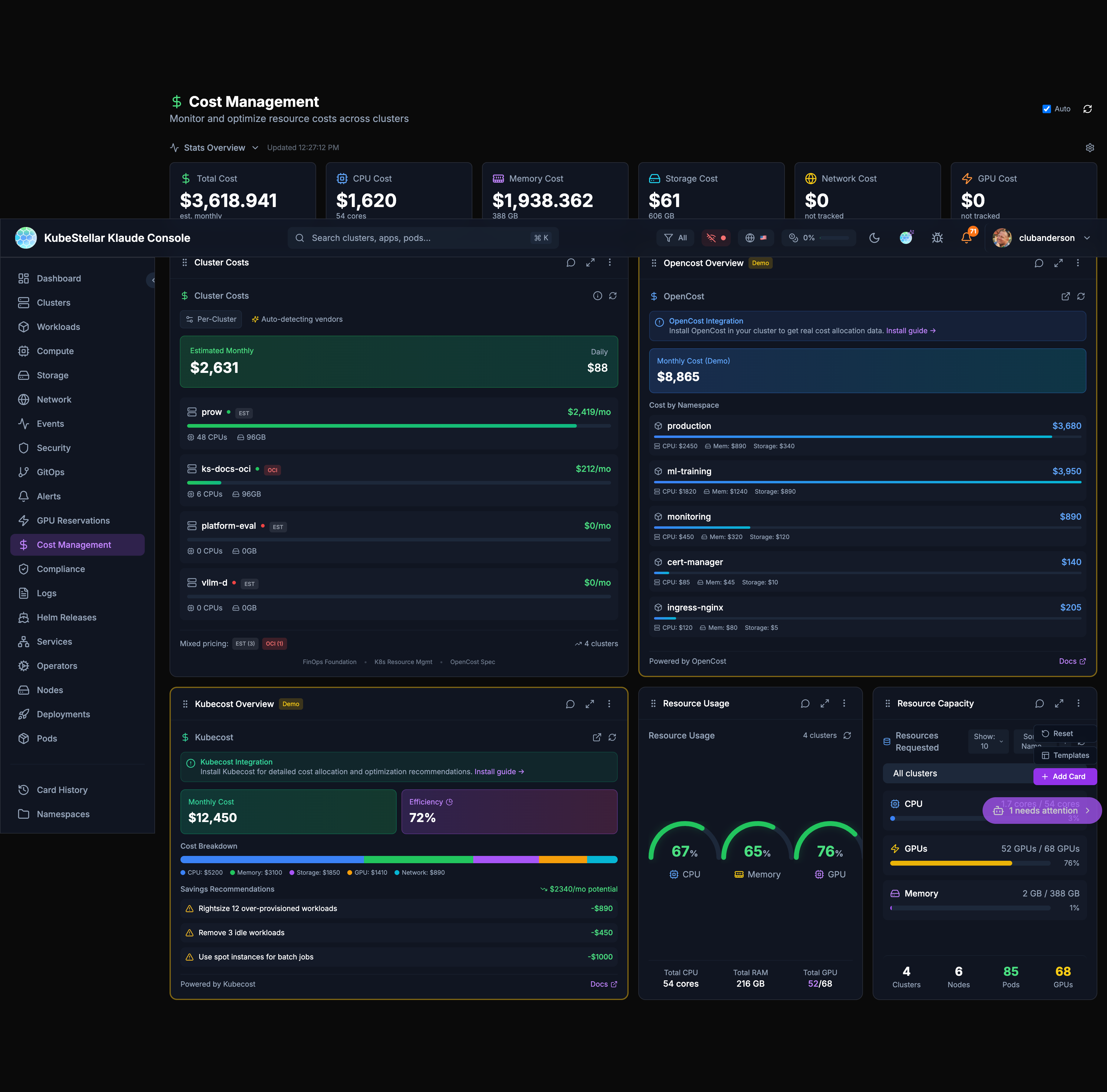
What is it?
KubeStellar Klaude Console (kkc) is like a smart control room for all your Kubernetes clusters. Think of it as a dashboard that:
- Shows you everything happening across all your clusters in place
- Learns what you care about and shows you that first
- Helps you fix problems using AI (like having a helpful assistant)
- Lets you report bugs and request features that get fixed automatically
Why is it special?
This is of the first AI-driven projects where the AI helps maintain and update the project itself when you report a bug or request a feature:
- You describe what you want
- AI reviews it and creates a fix
- You get a preview to test
- approved, it goes into the next release
It’s a closed-loop system - your feedback directly improves the product!
Quick Numbers
| What | Count |
|---|---|
| Dashboard Pages | 20 |
| Card Types | 60 |
| Stats Blocks | 85 |
Main Features
Dashboards for Everything
20 different dashboards, each focused on a specific area:
- Main Dashboard - Your personalized home view
- Clusters - Health and status of all clusters
- Workloads - Deployments, pods, services
- Compute - CPUs, memory, GPUs
- Storage - Volumes and storage classes
- Network - Services and ingresses
- Security - Issues and vulnerabilities
- GitOps - Helm releases and Kustomizations
- Alerts - Active alerts and rules
- Cost - Money tracking for your resources
- And 10 more specialized views!
Smart Cards
60 different cards you can add to any dashboard:
- Cluster health checks
- Resource usage gauges
- Event streams
- GPU monitoring
- Cost tracking
- Security issues
- And many more!
Stats at a Glance
85 stats blocks that show you important numbers instantly:
- Cluster counts
- Pod status
- Resource usage
- Alert counts
- Cost summaries
AI That Helps
- AI Missions - Chat with AI to troubleshoot problems
- Diagnose & Repair - AI finds what’s wrong and suggests fixes
- Smart Suggestions - AI notices what you’re looking at and suggests better cards
Report Bugs, Get Fixes
The bug-to-squash workflow:
- Click “Report a bug”
- Describe the problem
- AI creates a fix
- You get a notification when it’s ready
- Test and approve
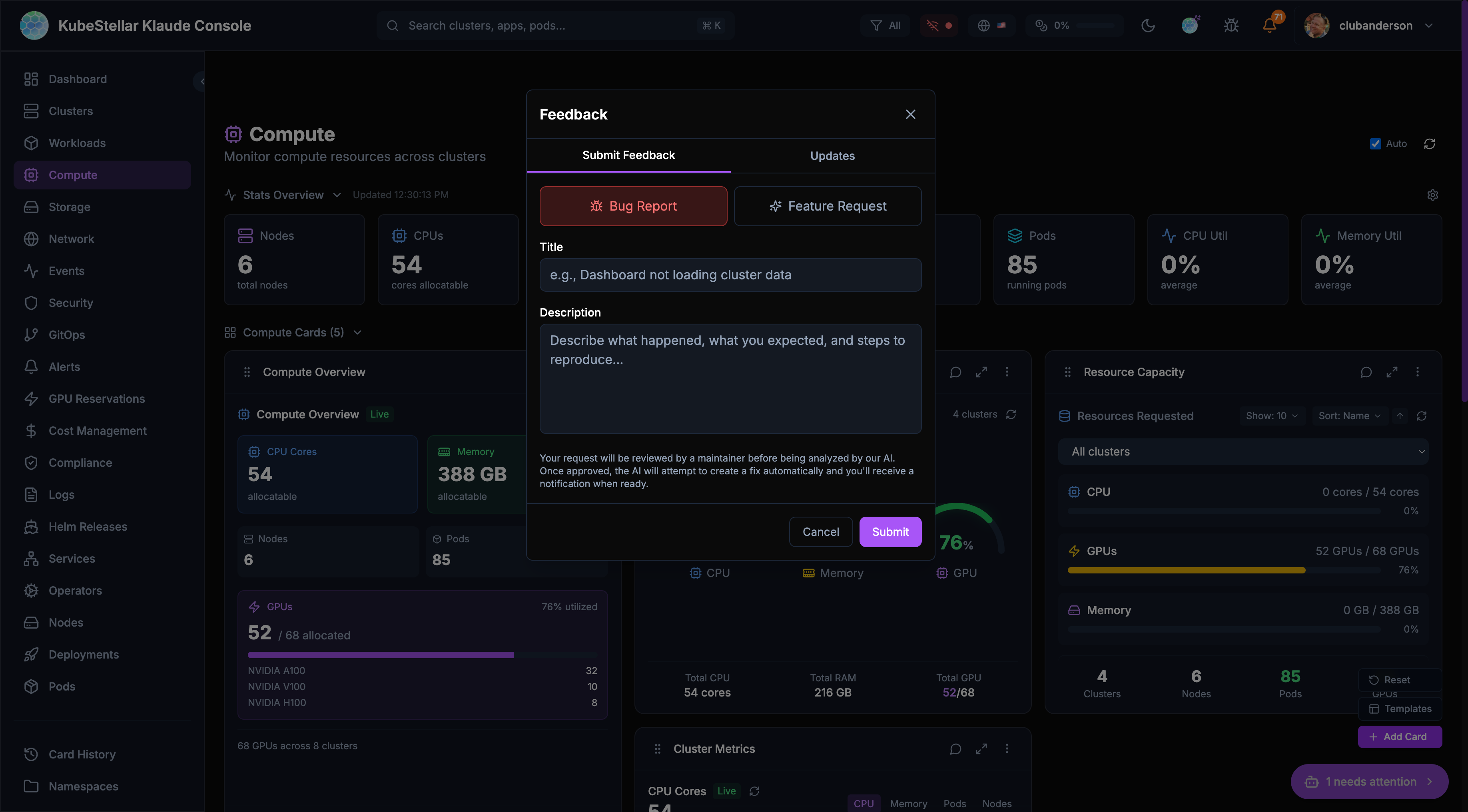
Learn about the feedback system
Alerts You Control
- Set up alerts for things you care about
- Choose how you want to be notified (browser, Slack, webhook)
- Let AI diagnose alerts for you
- Track token usage to control costs
How to Get Started
Try the Preview (No Installation)
See it running at kubestellarklaudeconsole.netlify.app
Run Locally (5 minutes)
# Clone the repo
git clone https://github.com/kubestellar/console.git
cd console

# Start everything
./dev.sh
Open http://localhost:5174 and sign in with GitHub.
Note: You’ll need klaude plugins installed. See Installation for the full setup with all 6 components.
Run in Kubernetes
# Create secrets
# NOTE: Do not put real secrets directly in commands or commit them to git.
# Prefer environment variables or a secrets file (e.g. --from-env-file) that is not version-controlled.
kubectl create namespace kkc
kubectl create secret generic kkc-secrets \
  --namespace kkc \
  --from-literal=github-client-id="$GITHUB_CLIENT_ID" \
  --from-literal=github-client-secret="$GITHUB_CLIENT_SECRET"

# Install with Helm
helm install kkc oci://ghcr.io/kubestellar/charts/console \
  --namespace kkc \
--set github.existingSecret=kkc-secretsIt’s Safe
- You control your data - Uses your kubeconfig, so you see what you have access to
- Works for teams - Multiple people can use the same console without seeing each other’s stuff
- No interference - What you do doesn’t affect other users
Quick Links
- Quick Start - Get running fast
- Installation - All deployment options
- Dashboards - All 20 dashboards
- Cards - All 60 cards
- Stats Blocks - All 85 stats
- AI Features - Missions, diagnose, repair
- Feedback System - Bug-to-squash workflow
- Alerts - Notifications and token usage
- Architecture - How it works
- Configuration - Settings and options
Source Code
- Repository: kubestellar/console
- Container Image:
ghcr.io/kubestellar/console